
AI and MCP
AI and MCP
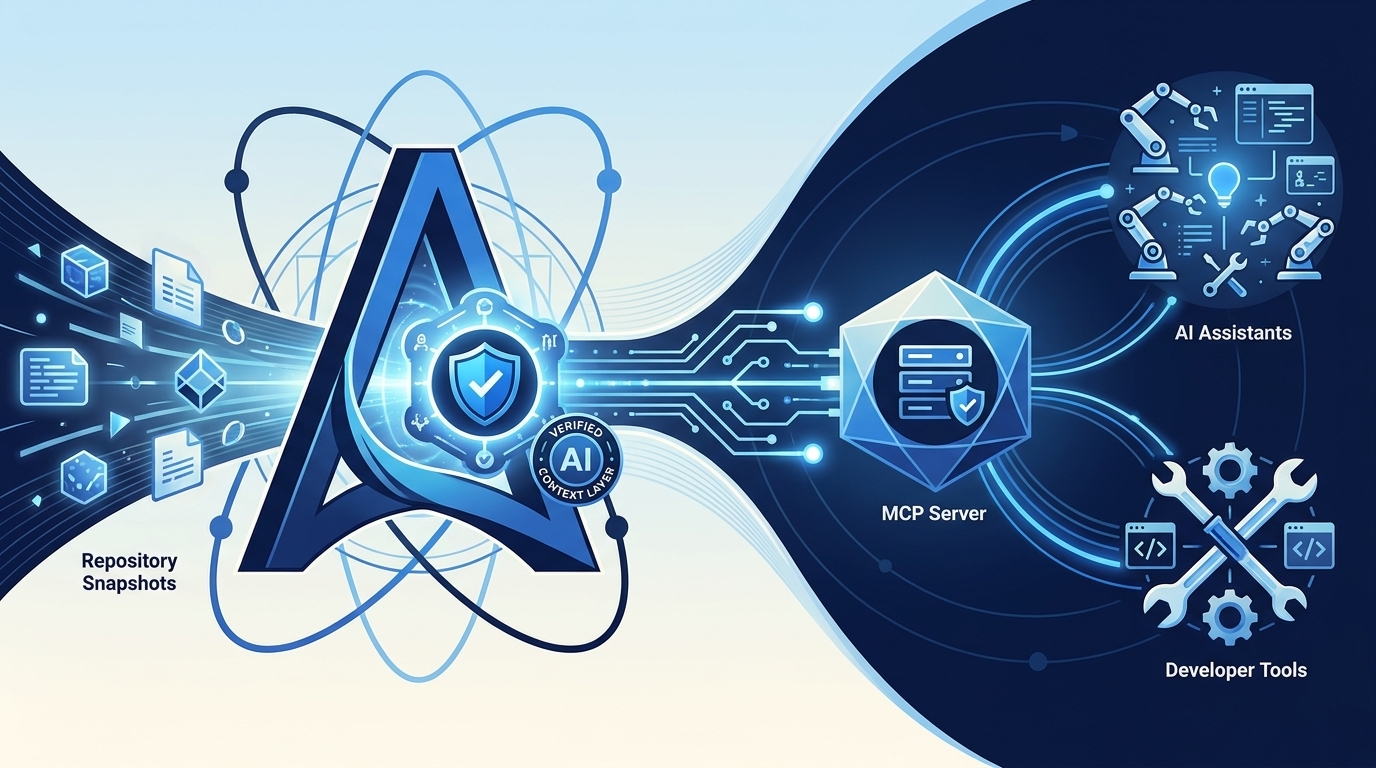
1. AURA AI Context Layer
Beyond the website, AURA needs its own AI context layer. A website alone is not enough for AI.
The AI Context Layer provides verified, versioned, and citable context. It contains:
normalized Markdown chunks
structured metadata
service / dependency graph
ADRs
C4 models
API specifications
event specifications
Jira links
PR / commit links
repo links
embeddings / vector index
full-text index
permission information
source references
AI assistants should not read arbitrary or outdated documentation but receive verified, versioned, and source-based architecture context.
2. Sources and citability
Every AI answer based on AURA should be traceable. Ideally, an AI answer can say:
I am referring to:
- payment-service / commit a81f3c2
- ADR-0042
- docs/architecture/containers.md
- Jira PAY-123
- PR #847
AURA should therefore never use raw embeddings without source management. Every chunk needs metadata:
source_repo: payment-service
source_commit: a81f3c2
source_path: docs/architecture/containers.md
owner: team-payments
snapshot_time: 2026-05-09T14:30:00Z
documentation_status: validated
visibility: internal
3. AURA MCP Server
An MCP server is a very fitting building block for AURA. Through MCP, AURA can provide context, prompts, and tools to AI assistants.
This way, AURA can be connected to different AI clients without each client having to implement the AURA logic itself.
4. MCP resources
AURA exposes readable architecture information via MCP resources:
aura://services/payment-service/overview
aura://services/payment-service/c4/context
aura://services/payment-service/c4/container
aura://services/payment-service/adrs
aura://services/payment-service/apis
aura://products/commerce-platform/landscape
aura://features/PAY-123/related-systems
aura://teams/team-payments/services
These resources are primarily context sources for AI models.
5. MCP tools
AURA also provides tools that AI assistants can actively call:
search_architecture(query)
get_service_context(serviceName)
get_related_services(serviceName)
get_adr_history(serviceName)
analyze_feature_request(ticketId)
find_repositories_for_feature(description)
get_code_context(repo, path)
compare_pr_with_documentation(prId)
check_documentation_drift(serviceName)
These tools allow AI assistants to retrieve context on demand and run analyses.
6. MCP prompts
AURA provides standardized prompts for recurring architecture workflows:
analyze-feature-impact
prepare-architecture-review
check-documentation-drift
explain-service-to-new-developer
generate-adr-draft
review-pr-architecture-impact
summarize-system-landscape
These prompts ensure that AI analyses become more consistent and more verifiable.
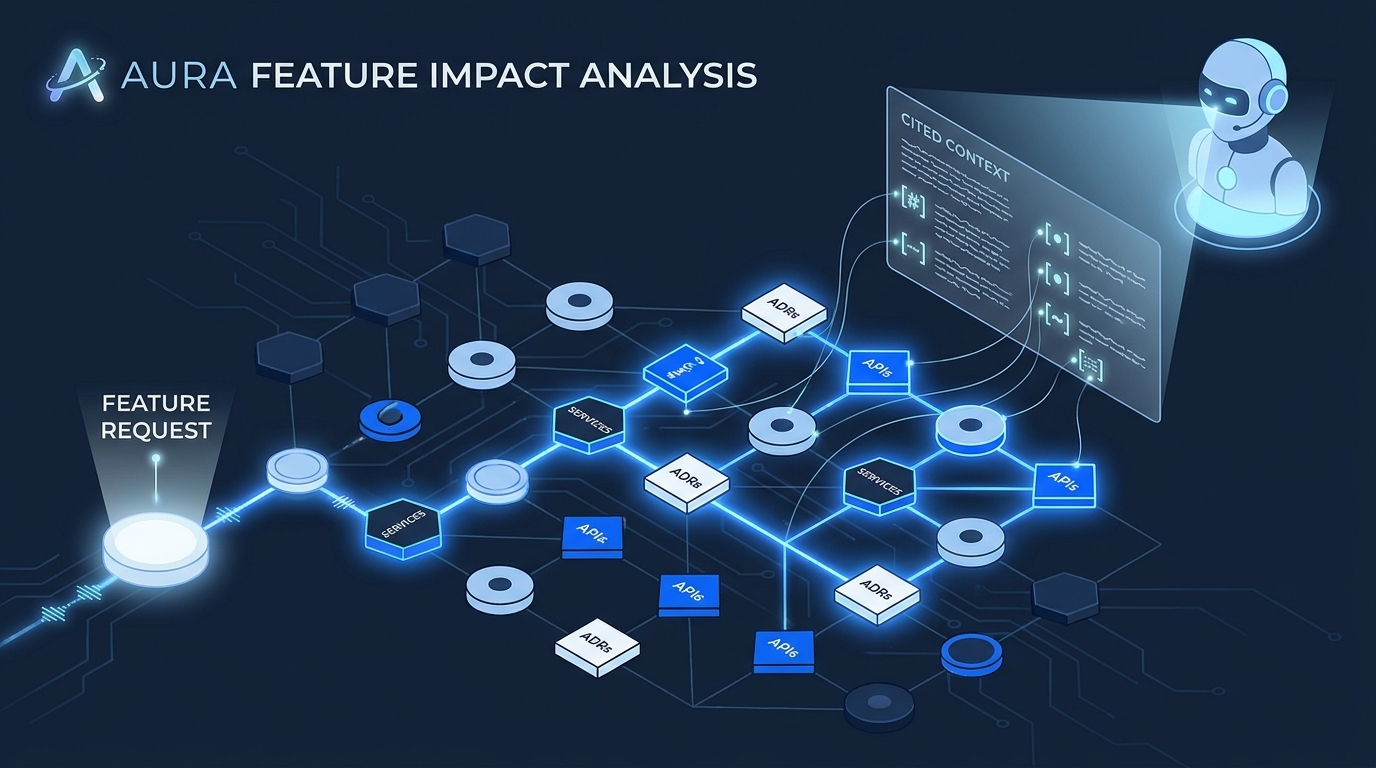
7. Feature creation with AURA
A central value of AURA emerges even before implementation. For a new feature or Jira ticket, AURA can help find the right entry point.
new feature / Jira ticket
        |
        v
AURA analyzes the description
        |
        v
AURA finds likely affected products, systems, services, APIs, and events
        |
        v
AURA gives an initial technical assessment
        |
        v
the developer or AI agent receives targeted context
        |
        v
implementation in the right repo with less guesswork
Possible questions for AURA:
- Which systems are likely affected by this feature?
- Which repository do I need to change?
- Which APIs are relevant?
- Are there existing ADRs about this?
- Which risks exist?
- Which teams must be involved?
- Which tests or contracts are critical?
- Which services could have side effects?
8. AI use cases at a glance
Feature analysis
Analyze this Jira ticket.
Which services are affected?
Which repositories should I look at?
Which APIs could be affected?
Which ADRs are relevant?
PR review
Analyze this PR.
Is the architecture documentation up to date?
Are there missing ADRs?
Are new dependencies documented?
Onboarding
Explain the billing-service to me.
What role does it have in the overall system?
Which decisions are important?
Which risks exist?
Architecture governance
Which services have outdated documentation?
Which critical services lack C4 diagrams?
Which ADRs are missing?
Where is there architectural drift?
9. AURA as context boundary management
An important goal of AURA is to control AI context boundaries. Instead of giving an AI assistant an entire repository or an entire organization, AURA provides targeted context:
affected services
relevant ADRs
important diagrams
matching API specs
critical risks
specific code paths when needed
This reduces:
- context overload
- hallucinations
- irrelevant information
- cost
- security risks
- wrong architectural assumptions
AURA is therefore a controlled context filter for AI systems.
10. Retrieval layer
AURA should not do retrieval purely semantically. Good AI search needs multiple layers:
keyword search
semantic search
graph search
metadata filtering
ownership filtering
permission filtering
freshness filtering
trust filtering
Example:
Find all production services in the payments domain context
that consume invoice-created events,
whose documentation is validated,
and that could be relevant for Jira PAY-123.
That is more than classic full-text search.
11. AURA with code access
Since AURA knows where a service lives in the repository, AURA can theoretically also provide code context. This is powerful but security-critical.
Therefore a strict separation is needed:
AURA documentation context:
  always available to authorized users

AURA code context:
  only on demand
  only with permission
  only specific files
  no secrets
  auditable
The AI assistant should not bulk-load all repositories. Instead, it should ask AURA in a targeted way:
Give me the relevant files for feature X in the payment-service.
AURA then decides:
- Which repos are relevant?
- Which files are relevant?
- May this user see them?
- How much context makes sense?
- Which sources must be cited?
→ Security and governance in detail
Continue reading
- Next page: Governance and drift — security model, service graph, trust
- Ingest and portal — how the knowledge store is produced
- Architecture — placing MCP in the overall picture